

Download Logisim – logic circuits, digital logic, circuit design, educational tool, CPU design, Boolean functions, truth tables, combinational analysis, logic simulation, logic gate, educational software
Overview
Logisim is a specialized educational tool developed by Carl Burch to support the study and understanding of digital logic and circuit design. Designed with students and educators in mind, the app serves as a practical platform for learning foundational concepts in computer architecture and electrical engineering. Its primary function is to simulate and visualize logic circuits, enabling users to experiment with Boolean functions, truth tables, and the behavior of logic gates in a risk-free digital environment. The app is particularly valuable for learners navigating complex topics such as combinational analysis, modular circuit design, and CPU architecture.
By offering a hands-on approach to abstract concepts, Logisim bridges the gap between theoretical knowledge and practical application. Students can build, test, and refine circuits step by step, gaining insight into how digital systems operate at the component level. The app is especially relevant in academic settings where digital logic is taught as part of computer science, electrical engineering, or information technology curricula. Its ability to support circuit reuse and modular design also promotes efficient problem-solving and deeper conceptual understanding.
Although the developer did not provide additional technical details about the app’s background or development history, its long-standing reputation in academic circles underscores its reliability and pedagogical value. The app’s focus on core educational objectives—without distractions like ads or in-app purchases—makes it a trusted resource for both self-learners and classroom instruction. Its presence on both Android and iOS platforms ensures accessibility across a wide range of devices.
Key Features & Functionality
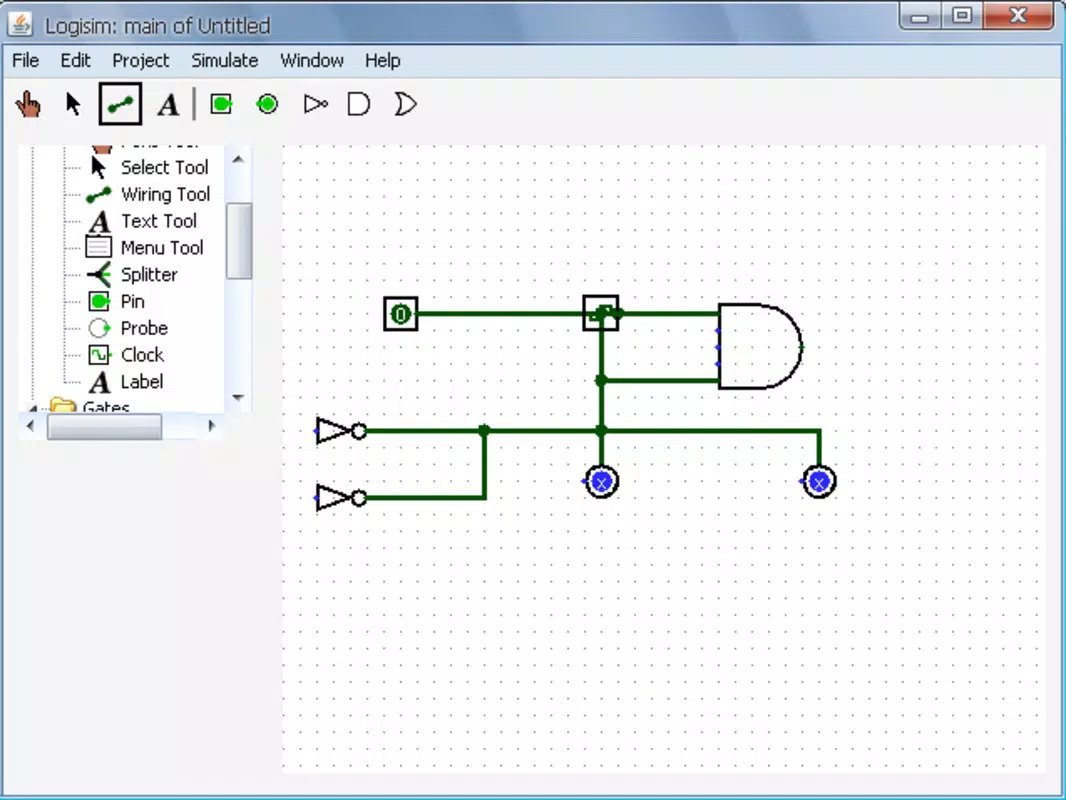
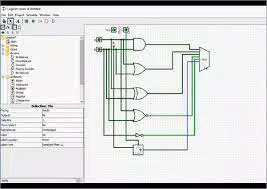
- Circuit Design and Schematic Representation: Users can create detailed schematics of digital circuits, including CPUs and other processing units, using a library of logic gates and components. This feature supports visual learning by allowing students to see how individual elements connect and interact in a functional system.
- Combinational Analysis Model: This tool enables users to convert between Boolean expressions, truth tables, and circuit diagrams. It helps learners verify correctness and understand the logical equivalence between different representations, reinforcing key principles in digital design.
- Circuit Reusability: Smaller circuits can be encapsulated and reused within larger designs. This promotes modular thinking, a critical skill in engineering, and allows users to build complex systems from simpler, tested components.
- Save, Export, and Print Options: Designs can be saved as project files, exported as GIF images, or printed for documentation and classroom sharing. These features support collaboration, assessment, and long-term study.
- User-Friendly Interface: The intuitive layout minimizes the learning curve, allowing users to focus on logic concepts rather than navigation. The clean, organized workspace supports efficient workflow and reduces cognitive load during complex tasks.
These features are particularly effective in real-world educational scenarios—such as lab assignments, exam preparation, or project-based learning—where visual and interactive tools enhance comprehension. For example, a student can use the combinational analysis model to verify a minimized Boolean expression, then implement it in a circuit and test it with various input combinations.
Interface, UX & Performance
Logisim features a clean, minimalistic interface that prioritizes functionality over visual flair. The layout is logically organized, with toolbars, component libraries, and a central canvas for circuit construction. Navigation is straightforward, with context-sensitive menus and consistent interaction patterns that support a smooth user experience. The app’s design encourages focus on the core task: building and testing logic circuits.
Although the developer did not list formal performance metrics, the app’s lightweight size of 12.4 MB suggests efficient resource usage. It is expected to run smoothly on most modern smartphones and tablets, regardless of processing power or RAM. Responsiveness appears to be consistent, with minimal lag during circuit manipulation and simulation. Stability is maintained across different screen sizes and orientations, ensuring a reliable experience for users on various devices.
There is no indication of performance issues such as crashes or freezes. The interface remains stable during prolonged use, which is essential for educational tasks that require extended session times. The absence of ads or intrusive notifications further enhances usability, allowing uninterrupted learning. Overall, the UX is well-suited to its target audience: students and educators engaged in technical, concept-driven work.
Platform Compatibility & Technical Requirements
Logisim is available on both Android and iOS platforms, making it accessible to a broad range of users across different ecosystems. The app is compatible with devices running the latest versions of these operating systems, although specific version requirements were not listed by the developer. The file size of 12.4 MB indicates a lightweight application that can be installed on devices with limited storage.
Users should ensure their device meets the minimum system requirements for running Java-based applications, as Logisim is built on Java technology. However, the developer did not specify the exact OS version or hardware specifications needed. Compatibility information was not fully disclosed, so users are advised to check their device’s capabilities before installation.
Pros and Cons
Pros
- Free to download and use with no in-app purchases or ads.
- Lightweight size (12.4 MB) suitable for low-storage devices.
- Supports both Android and iOS, increasing accessibility.
- Intuitive interface designed for educational purposes.
- Offers robust tools for circuit design, analysis, and modular reuse.
Cons
- Specific OS version requirements were not listed.
- Performance on older or low-end devices was not confirmed.
- No built-in tutorial or guided learning path provided.
- Java-based architecture may raise compatibility concerns on some newer devices.
- Limited visual customization options for circuit layouts.
FAQ
Is Logisim safe to download and install?
Yes, Logisim is a trusted educational tool developed by Carl Burch. It is free of malware and ads, making it safe for students and educators.
Can I use Logisim on both Android and iOS?
Yes, the app is available on both Android and iOS platforms, allowing users to access it across different devices.
Does Logisim require an internet connection?
No, Logisim operates offline. All features are available without an internet connection, which is ideal for classroom use or environments with limited connectivity.
Are updates regularly released?
The app was last updated on 2024-04-05. While no information on update frequency is provided, the developer has maintained the tool for educational use.
Can I share my circuit designs with others?
Yes, you can save your projects, export them as GIFs, or print them for sharing with instructors or classmates.
Final Thoughts
Logisim stands out as a powerful, focused educational tool that delivers significant value to students and educators in the field of digital logic and computer architecture. Its ability to simulate logic circuits, analyze Boolean functions, and support modular design makes it an essential companion for anyone learning the fundamentals of CPU design and circuit behavior. The app’s clean interface, combined with its comprehensive feature set, ensures a smooth and productive learning experience.
While it lacks some modern conveniences like built-in tutorials or extensive customization, its core functionality is robust and purpose-built. For learners navigating complex technical subjects, Logisim provides a reliable, secure, and efficient platform to experiment and grow. Whether used in a classroom or for self-study, it remains a top choice for mastering digital logic concepts.
Download Logisim now


